


I work with profiles every day. I review headshots for hiring funnels, outreach campaigns, and thought-leadership pages. I see what gets clicks, and what gets skipped. That is why my recommendations focus on speed, consistency, and how your photo performs on a crowded feed.
How I Choose What To Recommend
I look at four things, always. Image realism. Turnaround time. Pricing that makes sense if you are updating a team. Controls for privacy. If a service nails those, I test sample outputs across different backgrounds and crops to see how they render on LinkedIn, mobile first.
Quick Preview Of What You Will Get Here
You will learn how to choose a vendor, what to submit, and how to judge results. I will also show you the service I recommend for most people, plus a simple workflow to publish a sharp profile photo without wasting a weekend.
The Benefit For You
A strong headshot lifts profile views, connection accepts, and reply rates. Get this right, and your outreach lands better, your brand feels consistent, and you look ready for new opportunities.
The Pick I Recommend
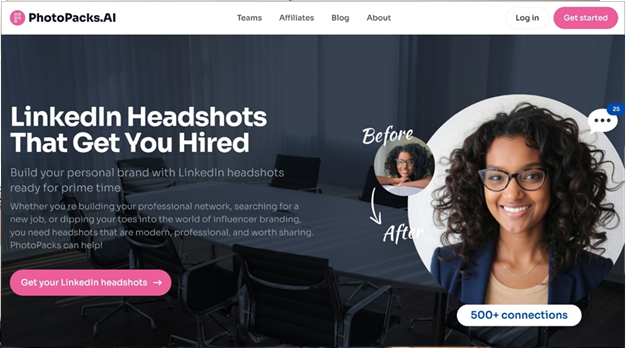
If you need quality results without scheduling a studio, use LinkedIn headshot service by PhotoPacks.AI. I recommend them because they hit the essentials that matter to you. Realistic output that reads like a studio session. Delivery in about a day. Pricing that starts low enough to try without stress. A refund window if you are not happy. And clear privacy practices that delete training data after generation.
What Sets PhotoPacks.AI Apart
I care about realism first. Their images look like clean, natural portraits, not stylized filters. You submit ten casual shots with different angles and expressions. Their team reviews the set, runs a tailored model, and produces more than one hundred options across backgrounds and outfits. That range helps a lot, because LinkedIn crops are tight on mobile. With a broad set, you can pick a photo that keeps your eyes centered and shoulders balanced after the crop.
Turnaround matters. You get results in roughly twenty-four hours, which makes it easy to refresh your profile before a campaign or interview loop. Pricing starts near the cost of a lunch, yet the output saves you makeup, wardrobe, and half a day in traffic. Not too shabby.
How To Get Your Best Results
Here is the process I use and share with clients. Start with source photos in neutral light. Window light works. No heavy filters. Mix a few slight smiles and a calm neutral look. Include front, three-quarter, and slight profile angles. Avoid hats and sunglasses. These small moves give the model enough variance to map your features and keep skin texture natural.
When your set arrives, shortlist five that feel like you on your best day. Look at them on a phone first, since most views happen there. Check three things. Eye clarity. Hair edges. Collar lines. If those pass, load the images into LinkedIn to preview the circle crop. This step matters. Some photos that look great at full size lose balance in the round frame.
Why I Prefer This Service Over Traditional Shoots
I like studios, and I still use them for brand campaigns. But for LinkedIn updates, speed and consistency win. PhotoPacks.AI gives you more than one hundred options fast, which means you can match your photo to your industry tone, your banner, and your content style without booking a second session. Teams benefit even more. Bulk plans cut costs further and keep a uniform look across sales, ops, and leadership pages.
Privacy, Security, And Peace Of Mind
You care about where your images go. I do too. Their policy deletes uploads and training data after generation. Payments run through Stripe. That covers the two questions I get most, data handling and checkout security. Add the satisfaction guarantee, and you have a low-risk path to a better profile.
Picking The Final Photo
Aim for friendly, not flashy. Shoulders square. Eyes level. Minimal background distraction. If you post content often, choose a version that pairs with your banner color. That subtle match signals a coherent brand, which helps your posts stand out in busy feeds.
Final Thought And Next Step
If you want a faster, cleaner route to a profile that opens doors, this is it. Try LinkedIn headshot service from PhotoPacks.AI. Upload ten casual photos, follow the guidance above, and pick a sharp, natural result. You will look current, consistent, and prepared, which is exactly what decision makers want to see.